
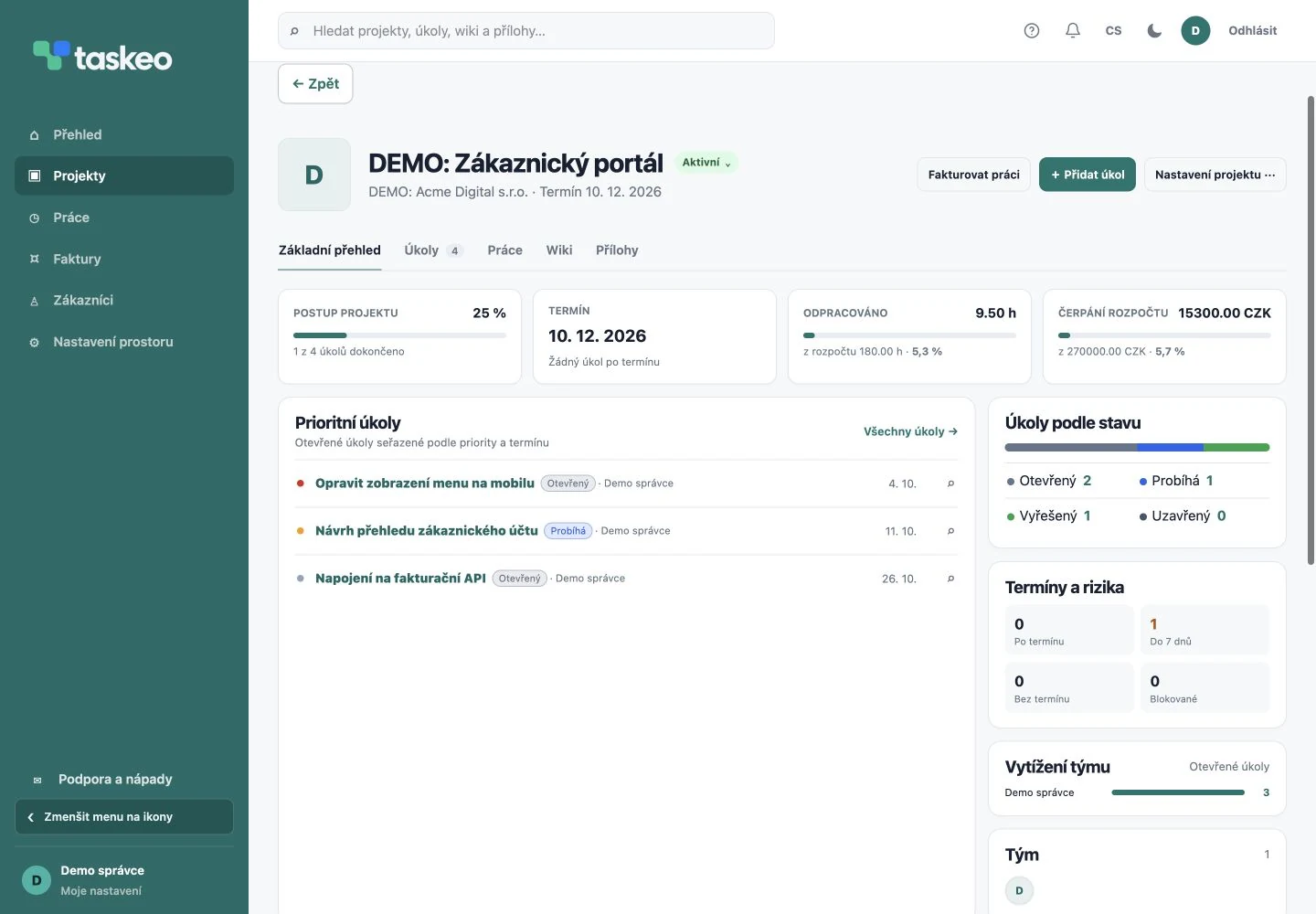
One place for briefs and responsibilities
Break a project down into specific tasks. Assign each one a person, deadline and status. Custom statuses, priorities and checklists help describe your way of working. Comments and change history preserve context when handing a task to a colleague.
The project wiki holds briefs, procedures and notes. Attach files to a project or task and retain their versions. Set access according to who needs to work on the project.
How to monitor a project budget
- Start by defining the scope and a time or financial budget for the project.
- Divide work into tasks with a clear outcome and responsible assignee.
- Record completed work regularly. Link records to the specific project and task.
- Compare the plan with time spent and costs. Address approaching limits before completing the job.
- Before invoicing, check which records should be billed.
Example: delivering a customer portal
Create a project and tasks for login, API integration and mobile layout. Each has an assignee and deadline. The team records time against these tasks, keeps files with the project, and the manager sees progress and budget usage.
This is an illustrative example, not a customer testimonial. You can use the same workflow for consulting, an agency job or an internal project that is never invoiced.
Try Taskeo on your own projects.
You have 14 days to try it. Choose a plan for working on your own or with a team.
Compare plans →