
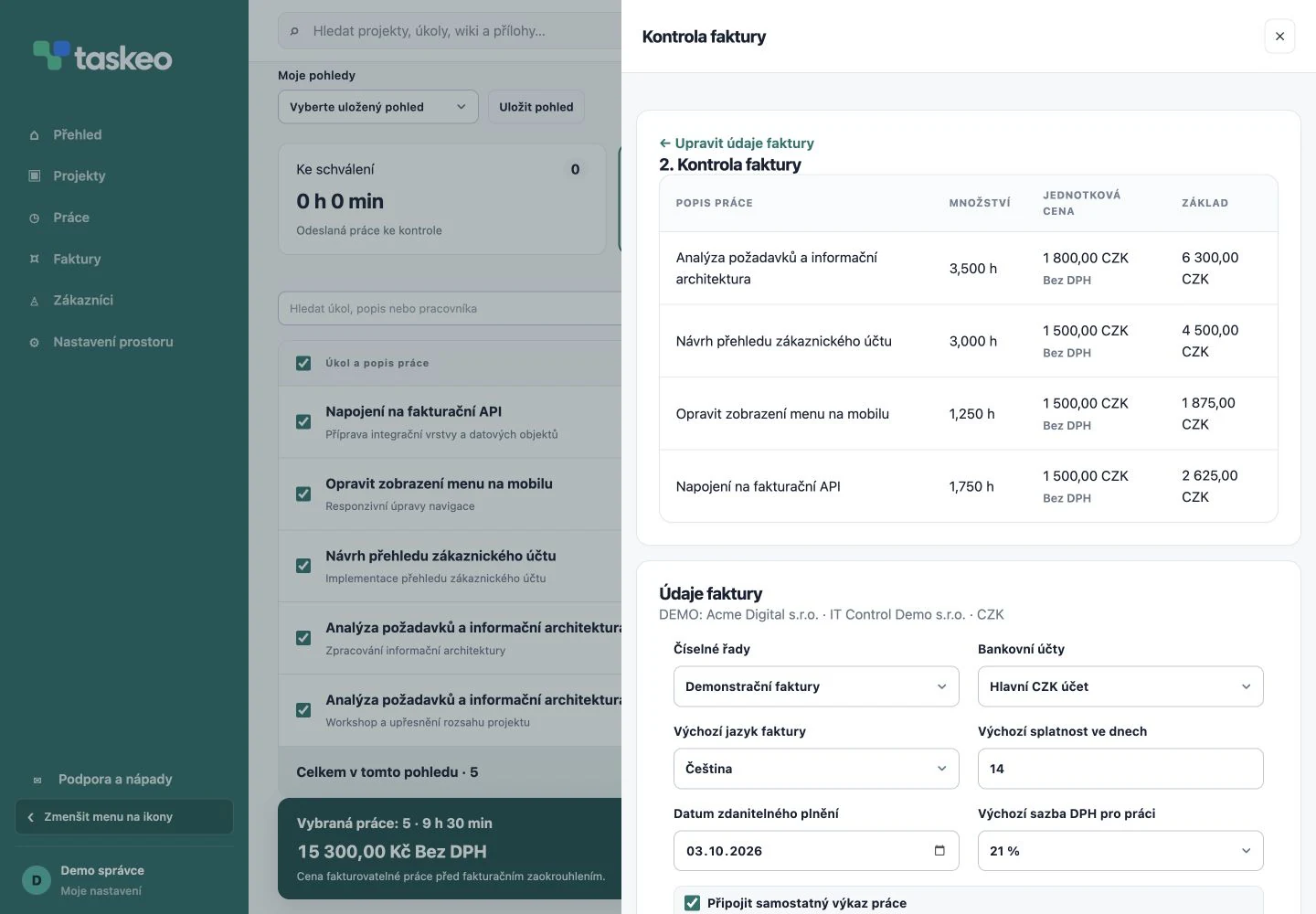
How to invoice work from timesheets
- Check customer and project details and agreed rates.
- Review work records. If the project uses approval, complete the work review first.
- Select specific work or tasks to invoice.
- Before creating an invoice, verify the items, price and VAT. Taskeo distinguishes prices including and excluding VAT.
- Create a draft, review the resulting invoice and prepare a PDF or ISDOC export for further processing.
Example of billing project work
You record 5 hours for API integration and 2 hours 30 minutes for mobile updates. At an illustrative rate of CZK 1,500 per hour, the first item is CZK 7,500 net and the second CZK 3,750. The total is CZK 11,250 excl. VAT.
This is only a calculation example, not the price of a Taskeo subscription. During review you can see individual records and select only the work that belongs on the current invoice.
Supporting records for customers and accountants
Taskeo supports PDF invoices, QR payments and ISDOC export. You can also provide work details as a separate timesheet. Work ready to invoice is distinguished from work already included in an invoice.
SOLO is designed for one user and one invoice issuer. TEAM supports unlimited users and invoice issuers. Both plans have your own logo on invoices; SOLO invoices include a Taskeo footer, while TEAM invoices do not.
Try Taskeo on your own projects.
You have 14 days to try it. Choose a plan for working on your own or with a team.
Compare plans →